← Back to Gallery
▶ Idle
Action Animations
Idle
Waving
Waiting
Running
Run Right
Run Left
Jumping
Review
Failed
Miku
✕ No commercial useAnime
⬇ Download spritesheet𝕏 Share on X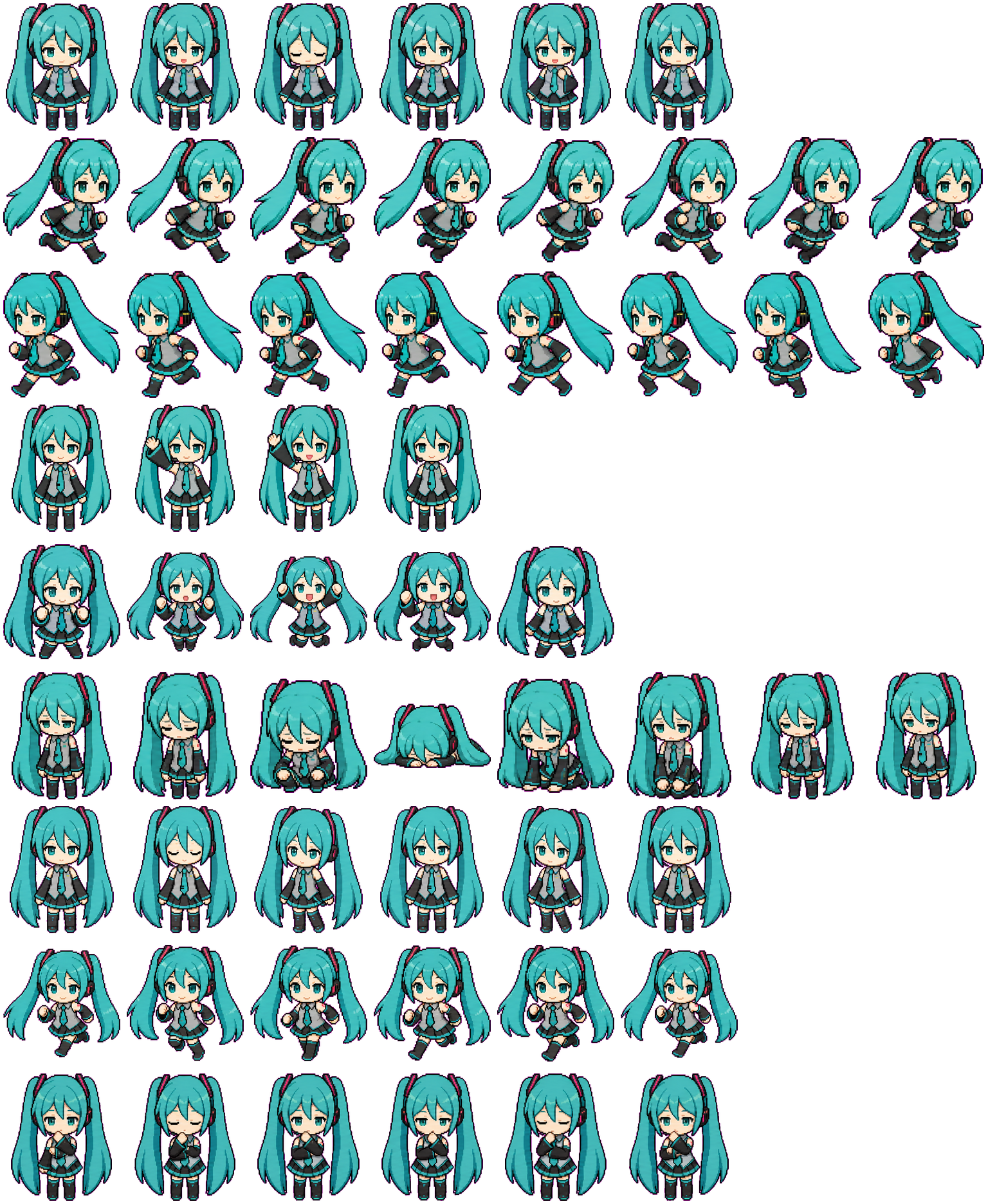
One-line install
Copy brief
npx clipets install miku--lingxiaotian
Paste the line above into your terminal — it downloads and installs to ~/.codex/pets/. Requires Node.js; restart Codex to use it.
About this pet
Miku is a Codex pet — a small pixel-art character that lives in your terminal while you work with the Codex CLI. Preview all of its actions below and install it into Codex with a single command.
Miku ships with 9 hand-animated actions — Idle, Waving, Waiting, Running, Run Right, Run Left, Jumping, Review, Failed — that Codex plays to reflect what it's doing while you code.
It's part of the CliPets curated collection.
FAQ
How do I install Miku?
Run “npx clipets install miku--lingxiaotian” in your terminal. It downloads Miku into ~/.codex/pets/ and Codex picks it up on restart — no manual setup needed.
What actions does Miku have?
Miku has 9 animated actions: Idle, Waving, Waiting, Running, Run Right, Run Left, Jumping, Review, Failed.
Is Miku free to download?
Yes. Miku is free to preview and download from CliPets. Check the license shown on this page before any commercial use.